
Mark us "Safe" from the PHP Vulnerability
By now anyone who follows Internet security, and plenty of people who don’t, have read about the two critical PHP2Shell vulnerabilities published and patched on October 21st.
Read postStork 2.6 is a new stable version, suitable for production use. There is now significant support for both DNS and DHCP.
Please note that there are two Known Issues with Stork 2.6.0, as described in our Stork Known Issues List.
There are four major new features in this release.
In addition to these new features, we have replaced a major dependency, our UI widget library, and added a number of security improvements.
This has been a multi-stage project to provide comprehensive visibility into lease activity across the Kea DHCP deployment. Collecting all the lease activity from potentially a number of Kea servers presents significant scaling challenges, so we have spent quite a bit of time developing a design plan.
We think users would like to:
Diagnosing lease issues is harder in large networks with many subnets and many leases. We would like to provide tools to isolate issues with lease allocations. We are interested in hearing about other specific use cases that administrators have to help us determine what diagnostics and tools would be most useful.
This Stork release introduces a mechanism that enables inspection of leases. If enabled, the agents glean lease information from the lease files of any detected Kea instances and stream that information to the server. The server then provides a searchable database of all the leases of all monitored servers. Lease tracking currently supports only the memfile backend.
Below you can see a screenshot showing DHCPv6 leases.
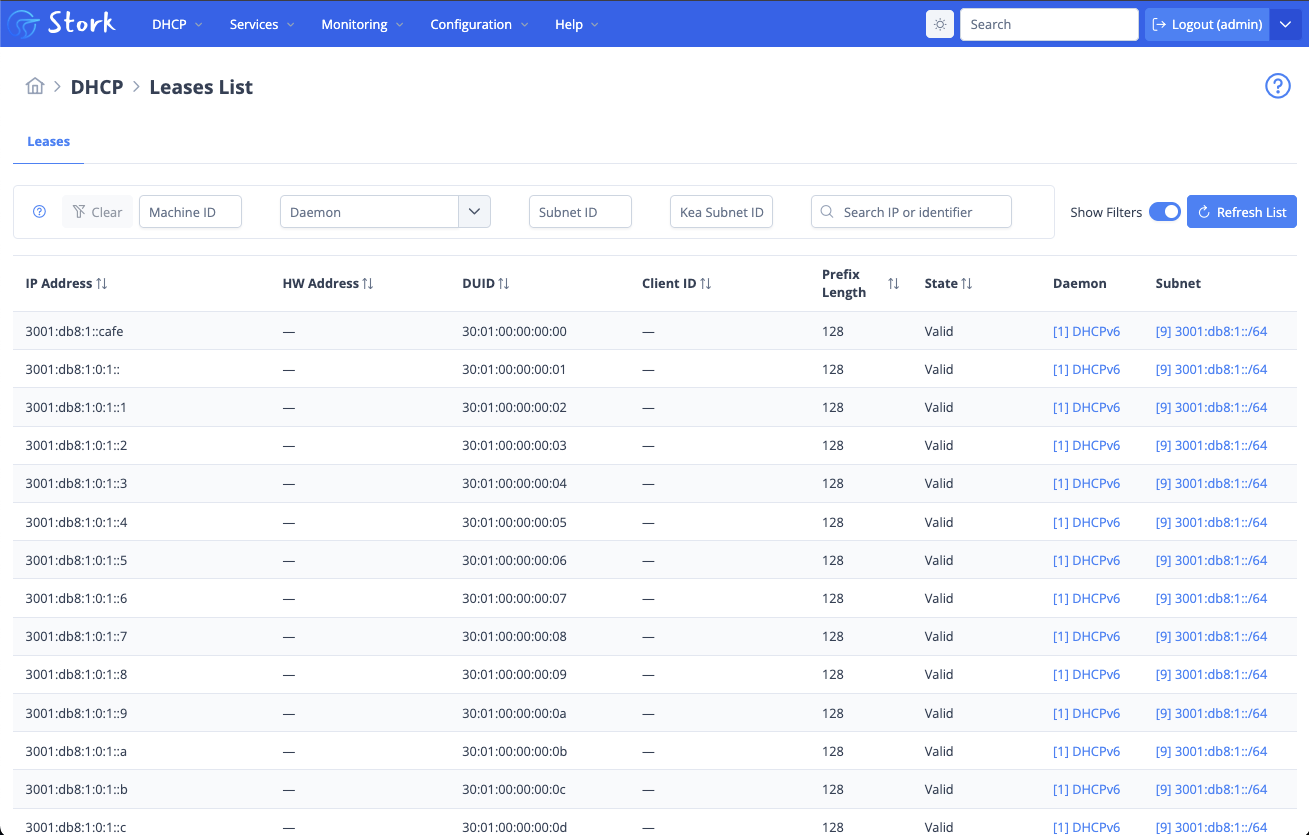
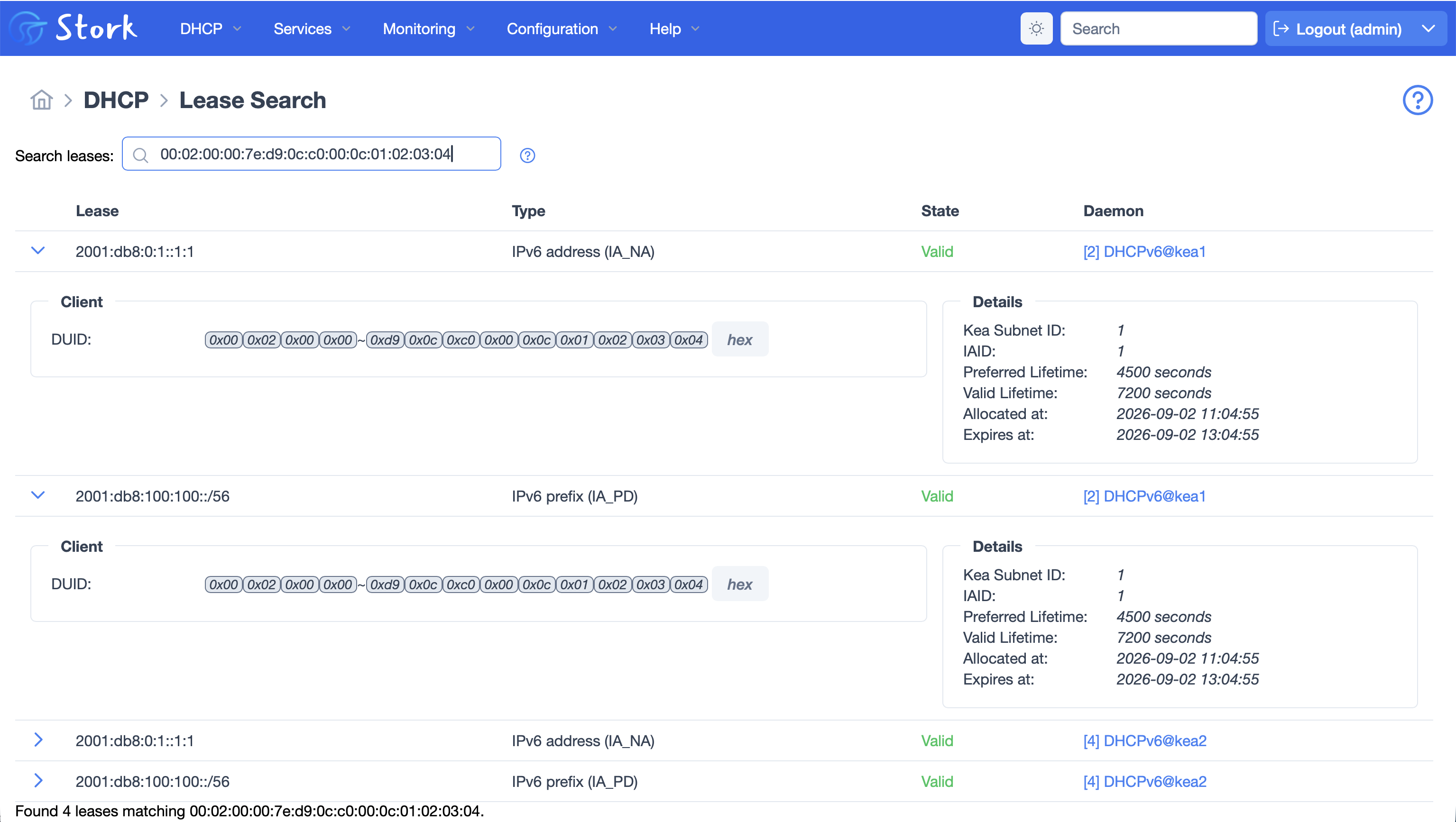
Leases can be sorted, filtered, and searched. As you can see in the screenshot below, you can get more details by clicking on the lease.
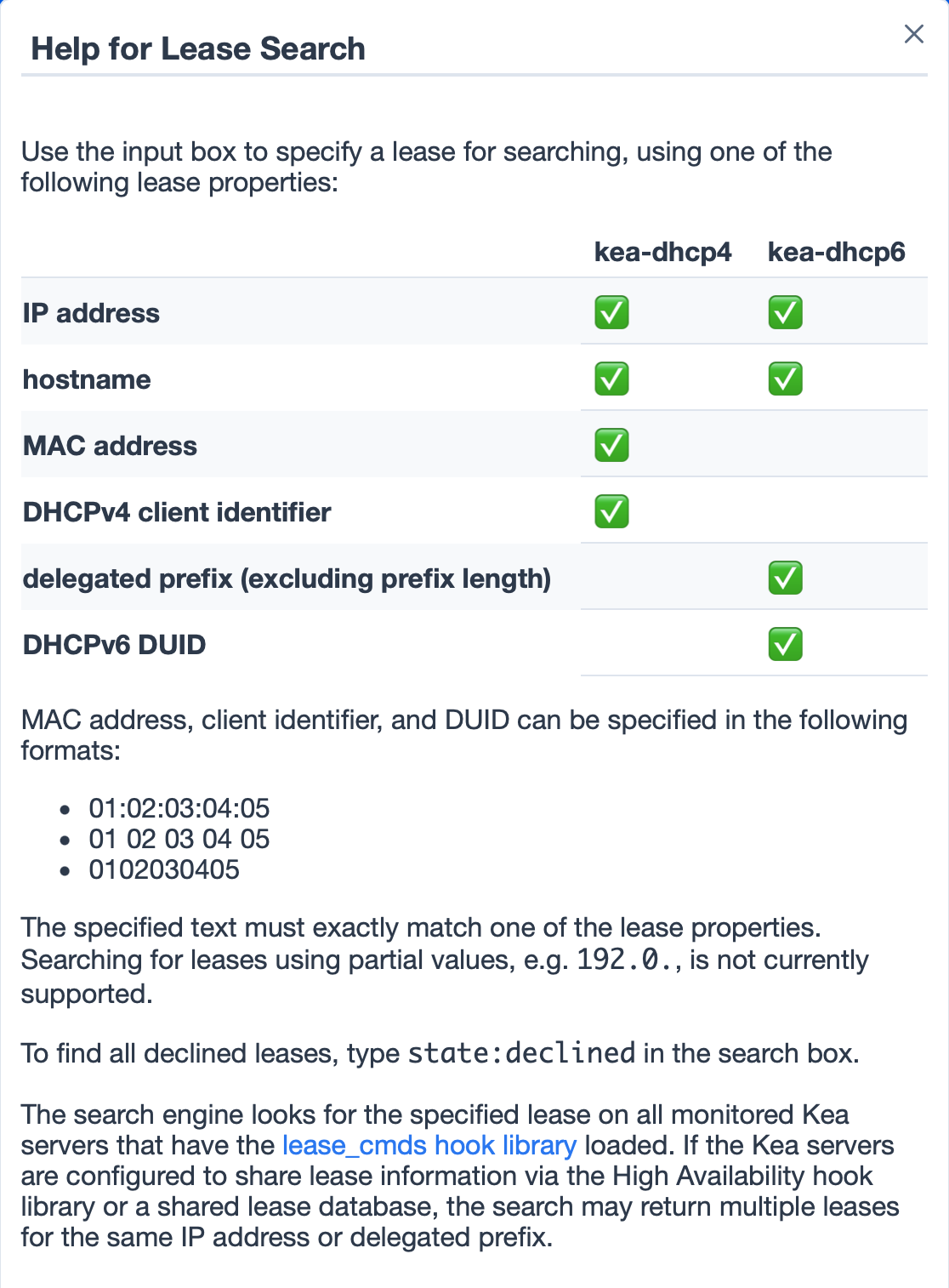
This help screen explains all the ways in which you can search for leases.
Stork previously supported user authentication based on credentials stored in the Stork database, or by using LDAP. In this release we have added a third mechanism, OpenID Connect (OIDC).
If configured, the server, as a Relying Party, can use external OpenID providers to offload authentication duties. This allows easy integration with various Single Sign-On (SSO) solutions. Another major benefit is that external OIDC can be configured to require multi-factor authentication.

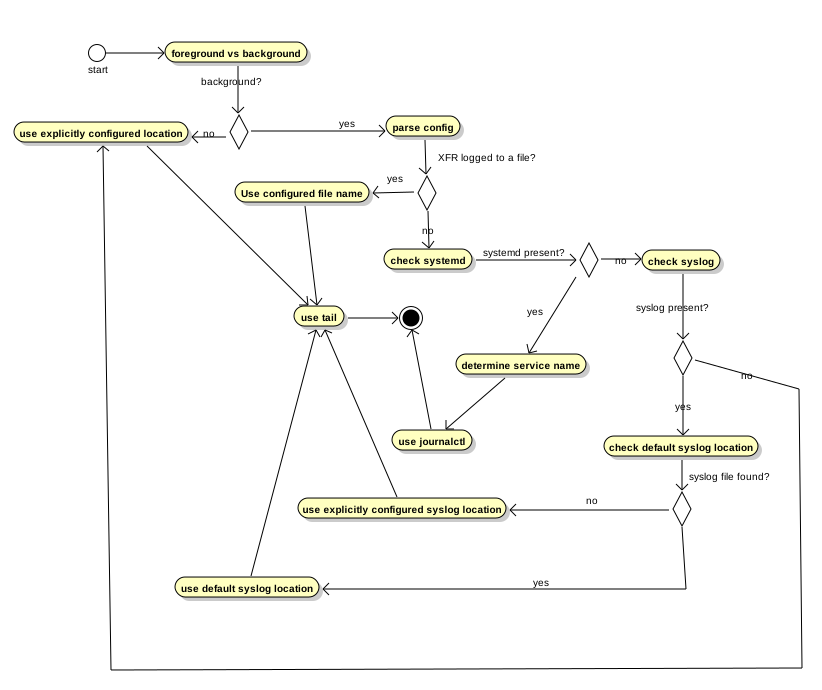
Monitoring zone transfer activity and identifying stuck or stalled zone transfers across an authoritative network has been a difficult problem for DNS operators for a long time. As the simplified diagram below illustrates, finding information about zone transfers requires parsing BIND logs, and checking and compiling information from multiple sources.
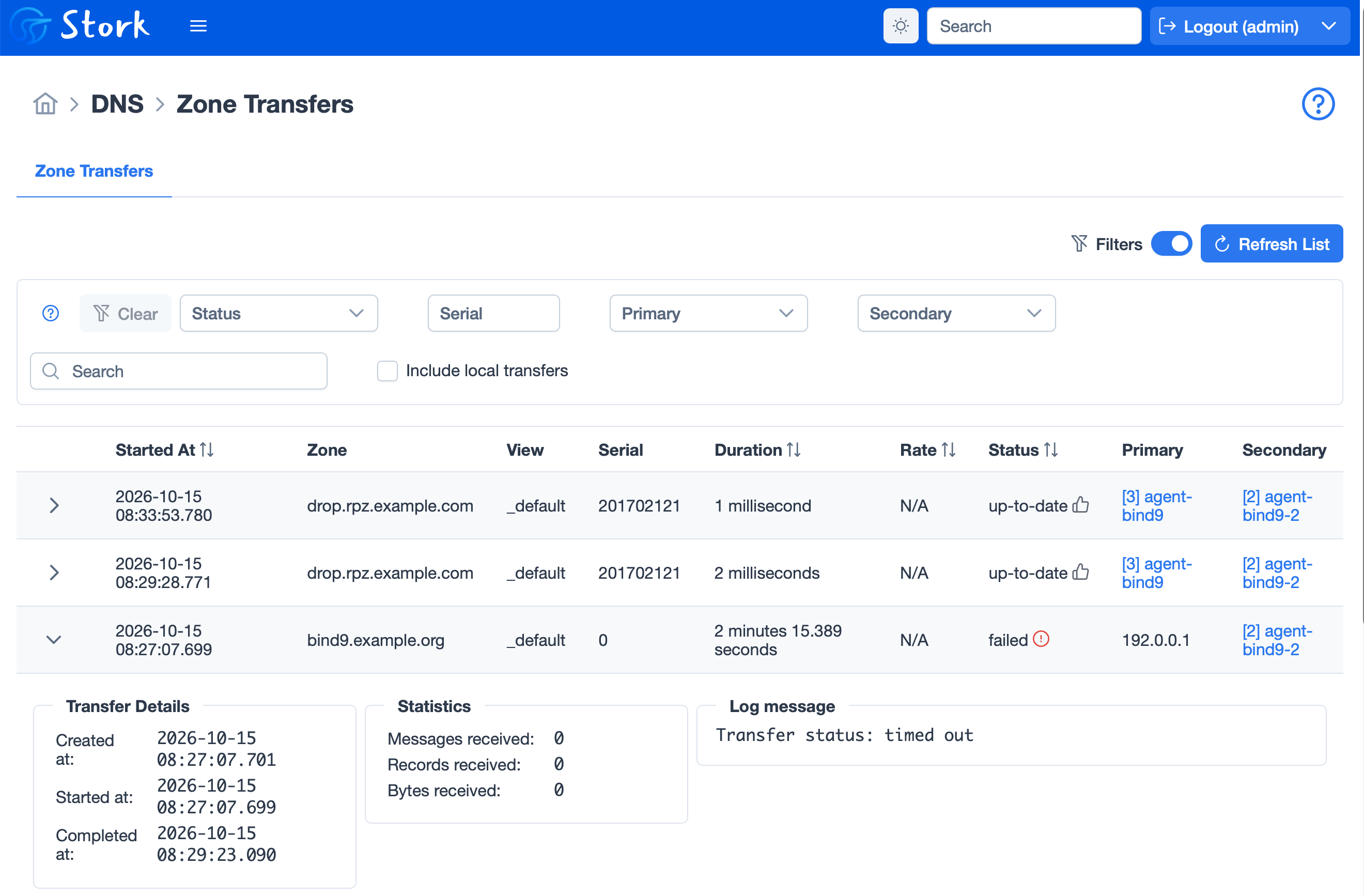
This stable release of Stork introduces Zone Transfer Monitoring. The Stork agent can now retrieve information about started, completed and failed zone transfers from multiple BIND9 instances, correlate them and present a unified list of transfers across all monitored servers. The transfer records are timestamped with millisecond precision, and they show the start time, duration, and sending and receiving servers. Where there are failed transfers, Stork can provide more detail from the log messages. In the example screenshot below, a failed transfer record is expanded to show additional detail.
The Kea Configuration Backend (CB or config backend) gives Kea servers the ability to store almost all of their configuration in one or more databases.
Potential features and benefits of the Configuration Backend include:
Potential drawbacks include:
Previously, the Configuration Backend was incompatible with using Stork for configuration.
Administrators are now able to use the Stork user interface to manage a configuration that is in the configuration backend. Stork can now create, modify, and delete subnets stored in the Kea Configuration Backend when the cb_cmds and subnet_cmds hook libraries are loaded. Daemons using the same Configuration Backend database and server tag are grouped in the subnet form to prevent inconsistent individual configuration. The help text now explains whether an operation changes the JSON configuration or the Configuration Backend database.
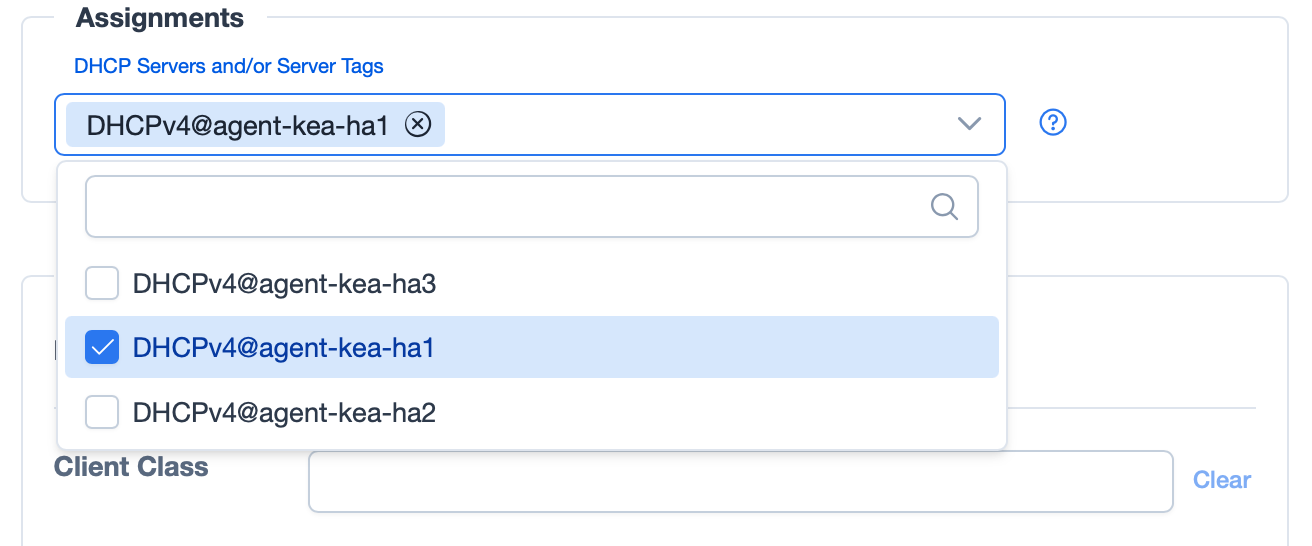
When editing a subnet in the CB, you can select which server tags to assign, which controls which servers are configured with that subnet.
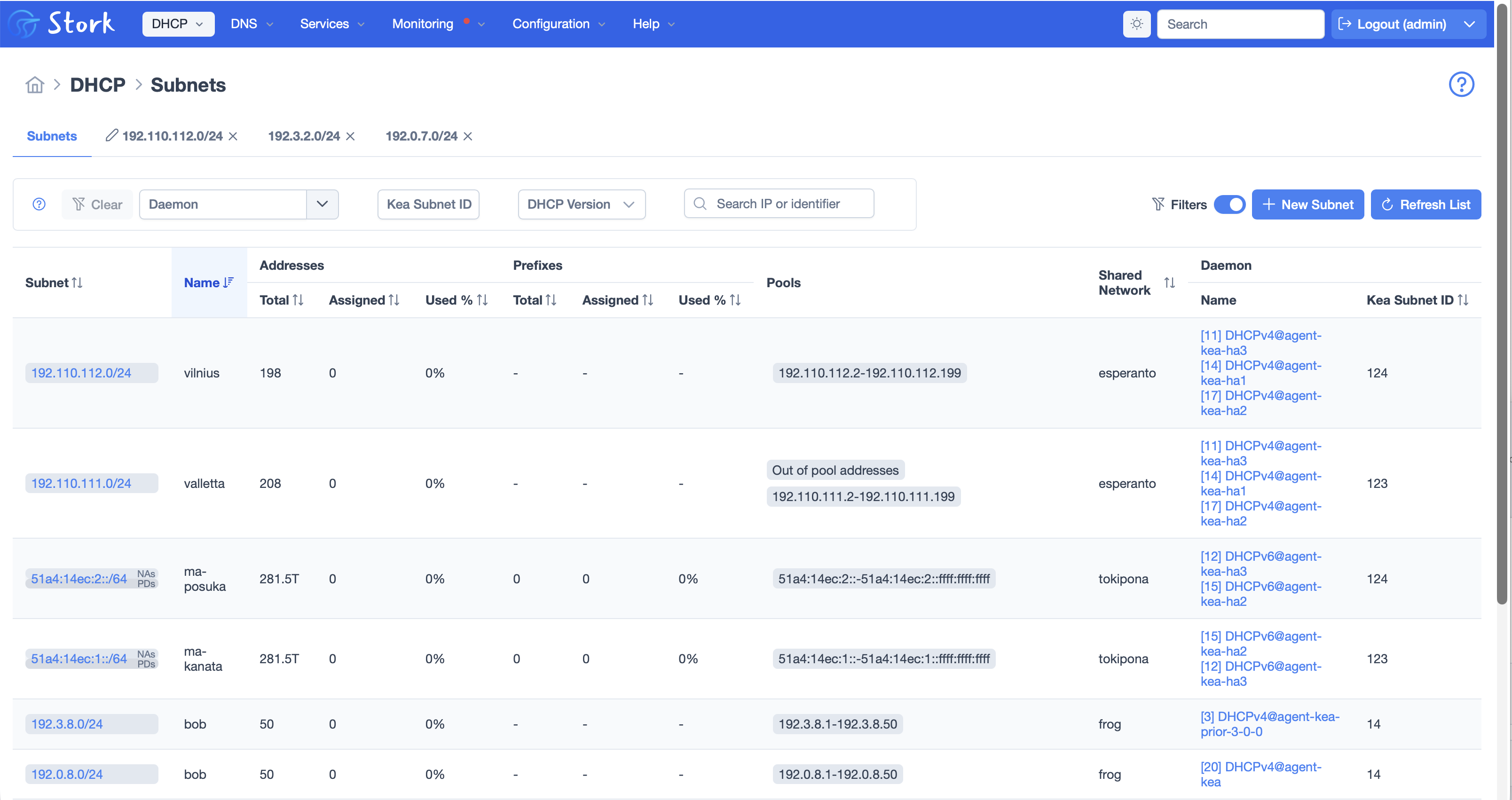
In the screenshot below you can see several subnets in a configuration backend, that are in use by multiple Kea servers (look at the column on the right edge of the screenshot).
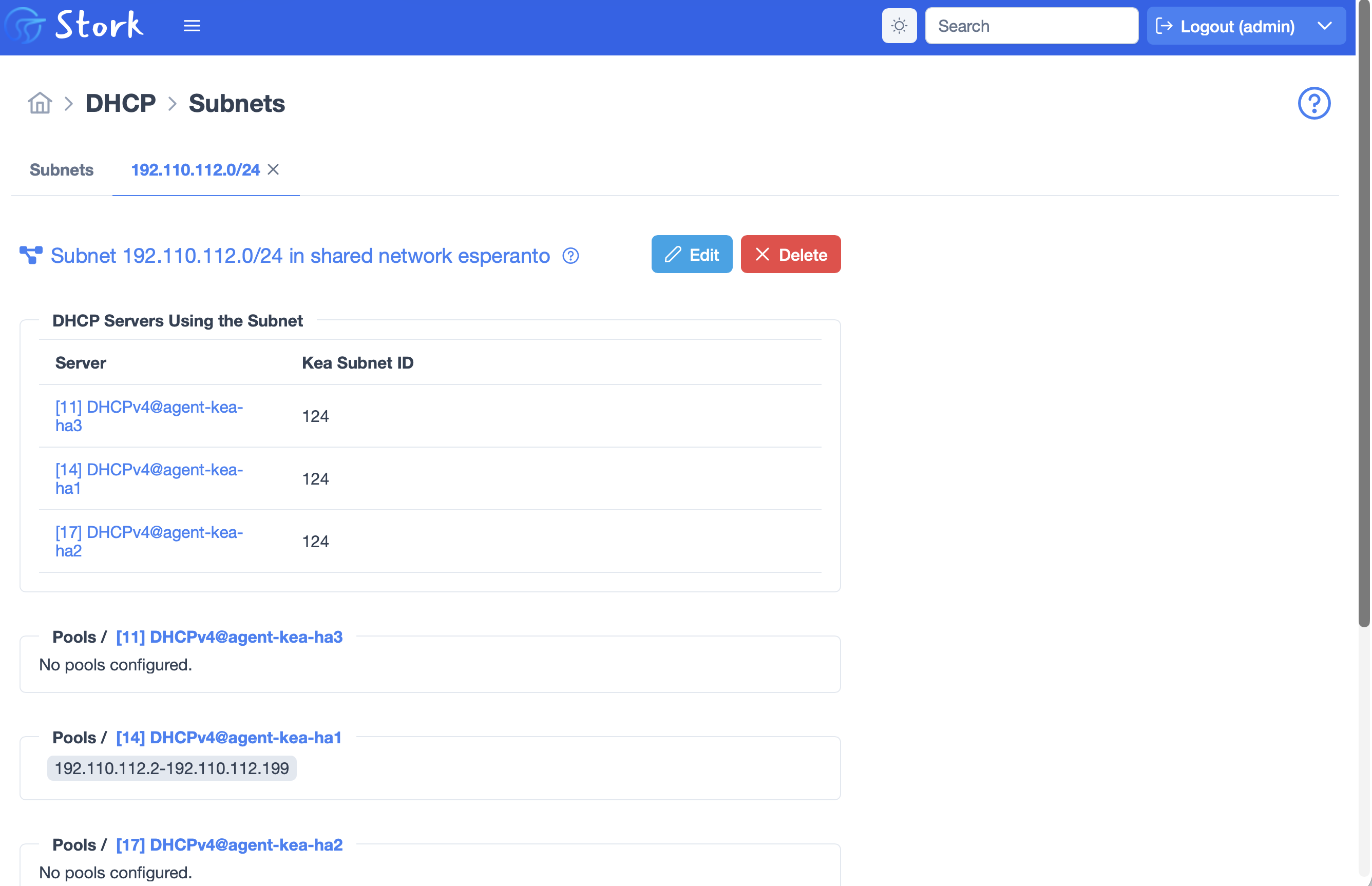
Clicking on one of these subnets brings up this detail display.
We have been using the PrimeNG library of user interface ‘widgets’. This library was used for things like, sorting tables, paginating tables, buttons and other UI features. At the end of June, the publisher of PrimeNG, PrimeTek, announced they were discontinuing work on the open source PrimeNG library, and pivoting to a commercial software model. After evaluating several alternatives, including importing some PrimeNG components and maintaining them ourselves, switching to Angular Material, and re-factoring the whole user interface in HTMX, we have decided to adopt a new open source fork of PrimeNG, called Optimus-UI. This is a new community effort to maintain this library that proved uneconomical for PrimeTek. We are now budgeting for an annual financial contribution to OpenNG, the organization behind the fork - we don’t want to be free-loaders, although Stork is not earning revenue for ISC either (yet).
To better cope with the increased number of vulnerabilities being reported across our ecosystem, the Stork team is experimenting with weekly dependency updates.There are a number of other security improvements and fixes, noted in the Stork 2.6.0 release notes.
To download Stork sources, go to ISC’s Downloads page. Release notes are posted beside the tarball download link. Most users prefer to install our packages for Debian, Alpine, or RPM-based systems from ISC’s Cloudsmith repo.
The Stork Quickstart Guide will get you up and running quickly. The Stork Administrator Reference Manual (ARM) may also be helpful.
ISC is now offering professional technical support for Stork. This will be offered as a line-item on a Kea DHCP support contract. Support for Kea is available as an annual subscription, with several levels:
The annual cost of our Kea support subscriptions is based on deployment size, as measured by the number of simultaneous leases provided. For more information on the support options, please see our Support page and our Kea Support Subscription datasheet. Please feel free to contact us for more information.
What's New from ISC

By now anyone who follows Internet security, and plenty of people who don’t, have read about the two critical PHP2Shell vulnerabilities published and patched on October 21st.
Read post
Stork 2.6 is a new stable version, suitable for production use.
Read post