
Meet an ISC Staff Member – T. Marc Jones!
In the past, we’ve profiled some of ISC’s software and support engineers, and even our product manager.
Read postStork 2.4 is a new stable version, significantly updated in several key ways. We addressed 220 issues since Stork 2.2.0, 81 of them in this release. Stork 2.4 required major changes to transition to updated versions of the PrimeNG and Angular components we depend on. The change in the connection model for Kea created a lot of work for Stork, and we have significantly expanded our DNS support. Finally, we had a Stork security audit/pentest in December, and we are fixing a number of issues raised by that in this release. For details, see the Stork 2.4 release notes. The blog below focuses on feature changes that can be seen in the user interface.
The Kea Control Agent (CA) is deprecated as of Kea 3.0; the DHCP daemons can now receive commands directly (without the CA). Supporting this CA-less mode required a major refactoring for Stork, which relied heavily on the CA for managing Kea instances.
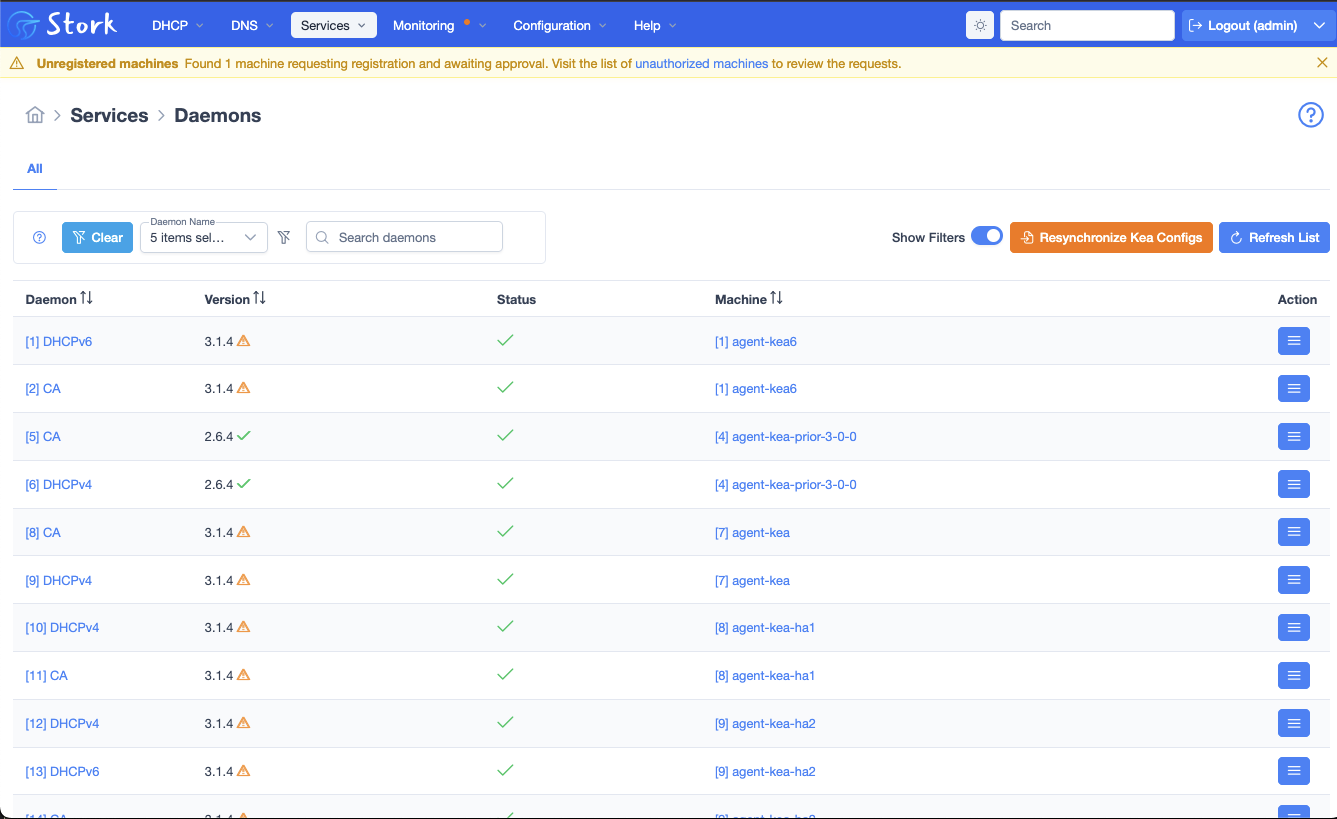
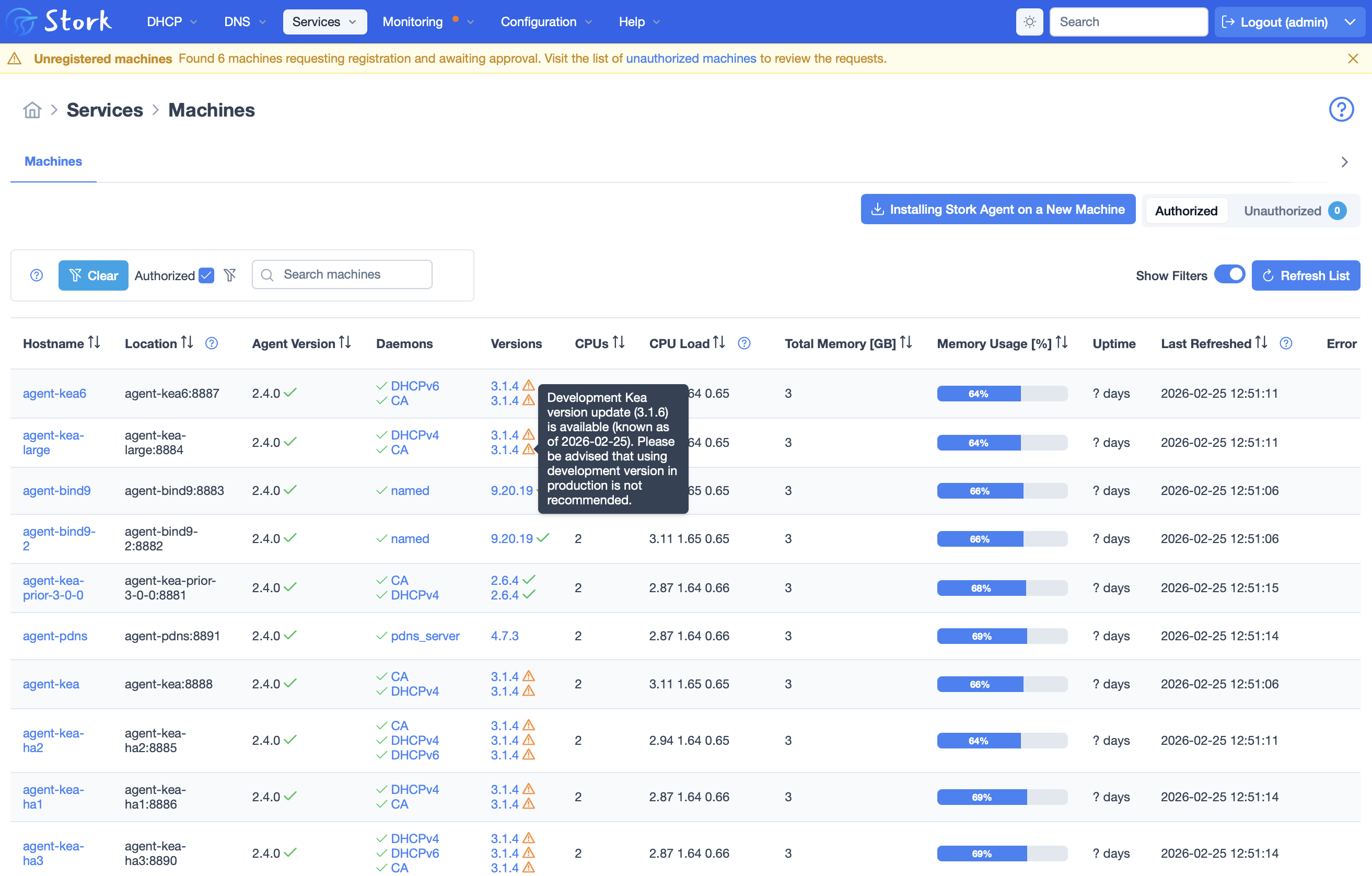
Now Stork connects directly with the daemon it is managing (e.g. DHCPv4, DHCPv6 or DDNS). The CA is listed as just another daemon in the interface now. In the screenshots below, as throughout the Stork user interface, you no longer see “Apps”; these have been replaced with “Daemons”.
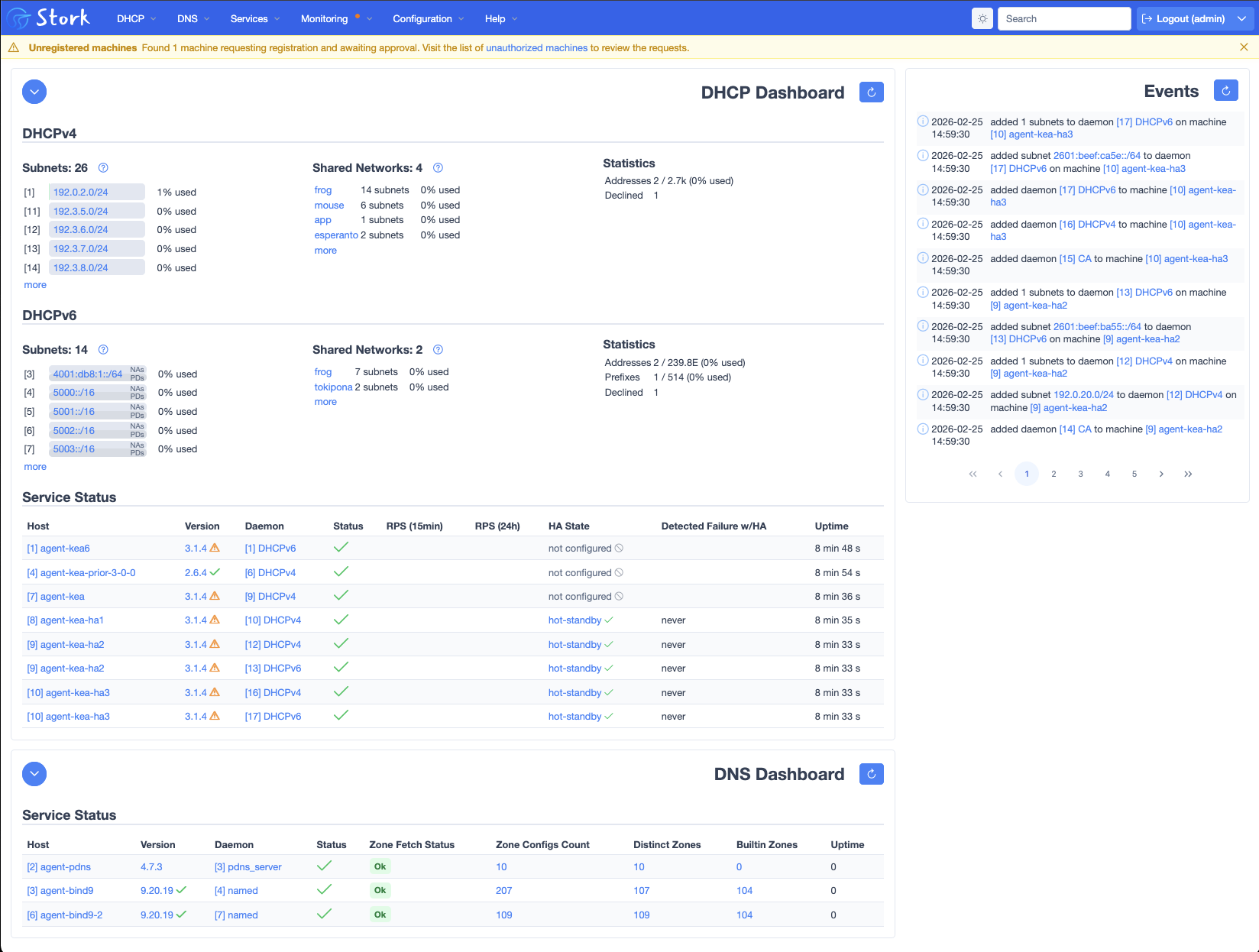
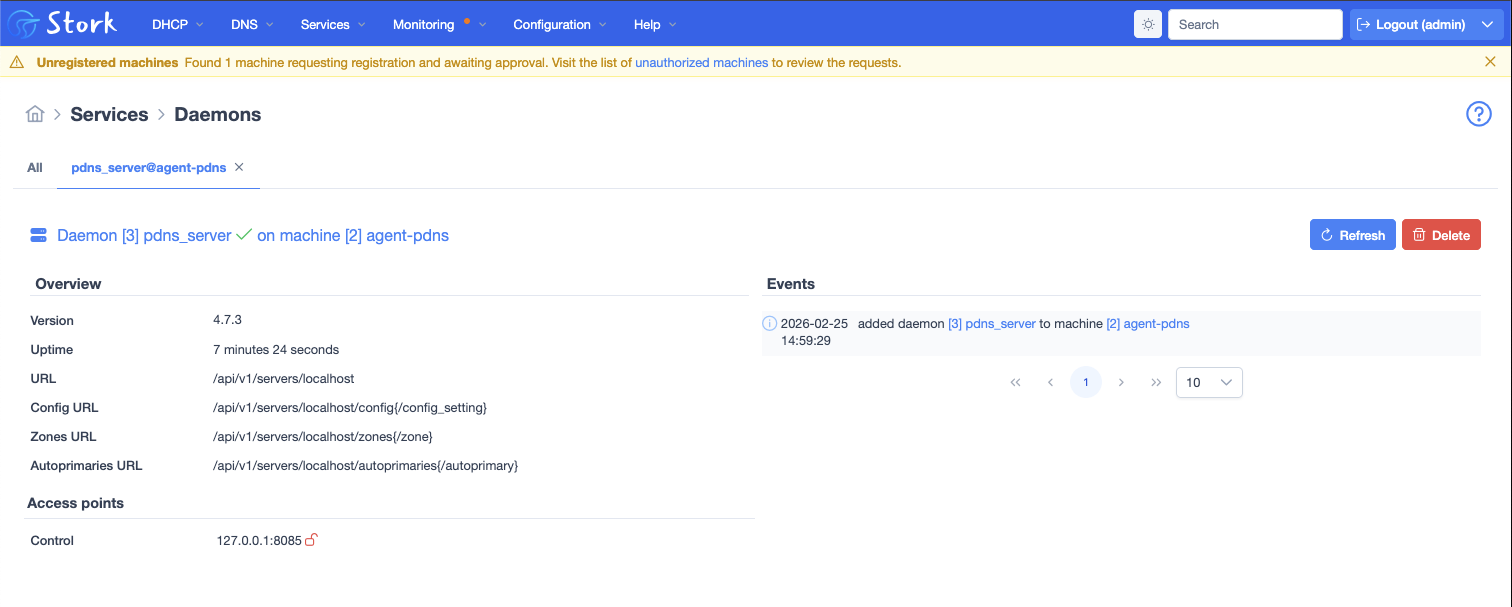
The DNS support in Stork has been greatly expanded. Stork can monitor the daemons, retrieve and display the configuration files, and transfer zone contents from both BIND 9 and PowerDNS servers. (We anticipate that PowerDNS may be a popular choice for Kea users, because both systems feature a backend SQL database architecture for data storage.)
Stork can parse and display a BIND 9 configuration file, as it has been able to do for Kea. This capability has been extended and tested with a range of different configurations. In the screenshot below, you can see we have retrieved and parsed a configuration (using rndc).
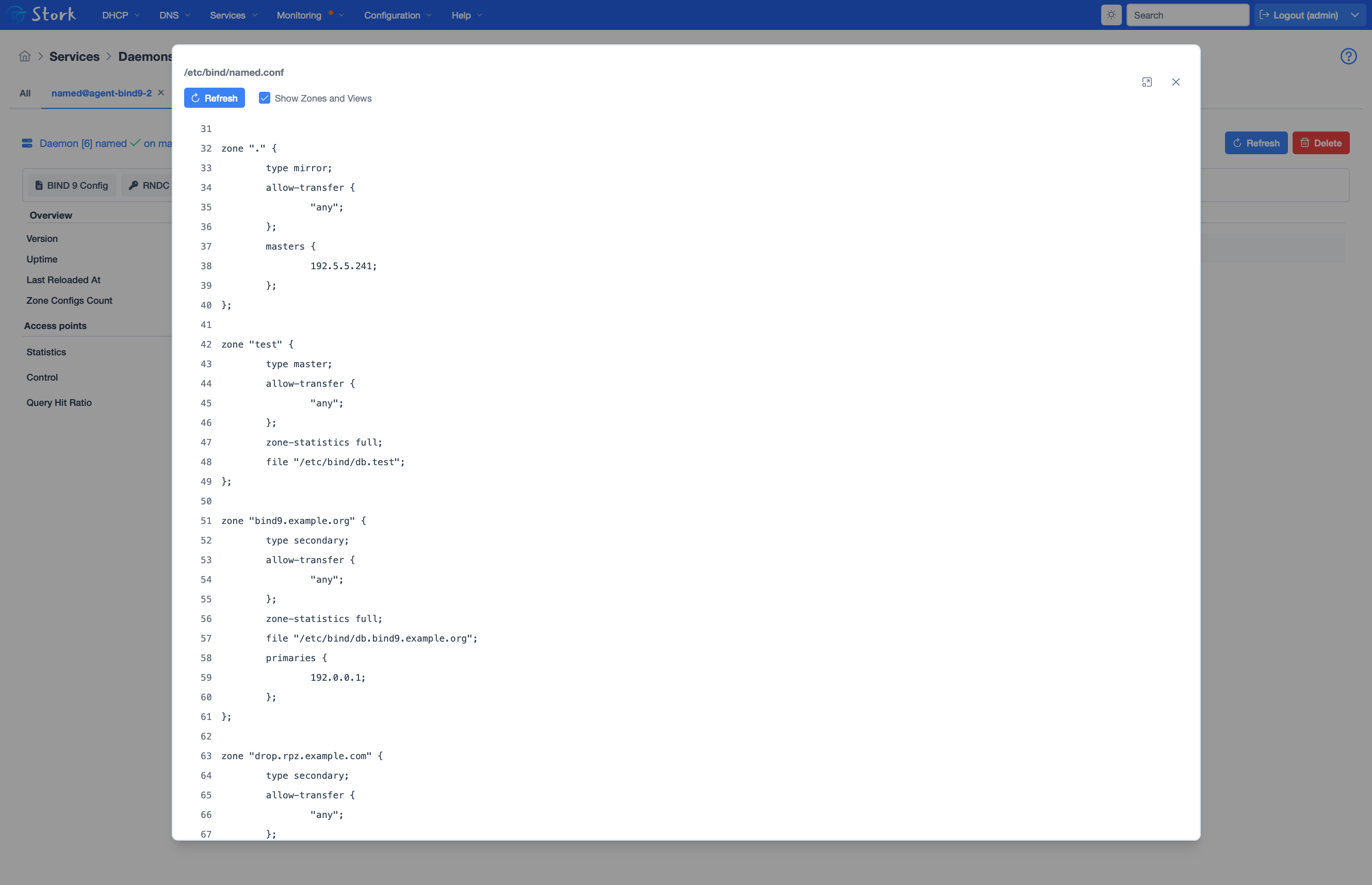
Stork provides a graphical view of all zones configured, with built-in zones, RPZ zones and mirror zones explicitly tagged for filtering. The administrator can view all the resource records in a zone. This feature uses the standardized and widely-interoperable zone transfer protocol AXFR.
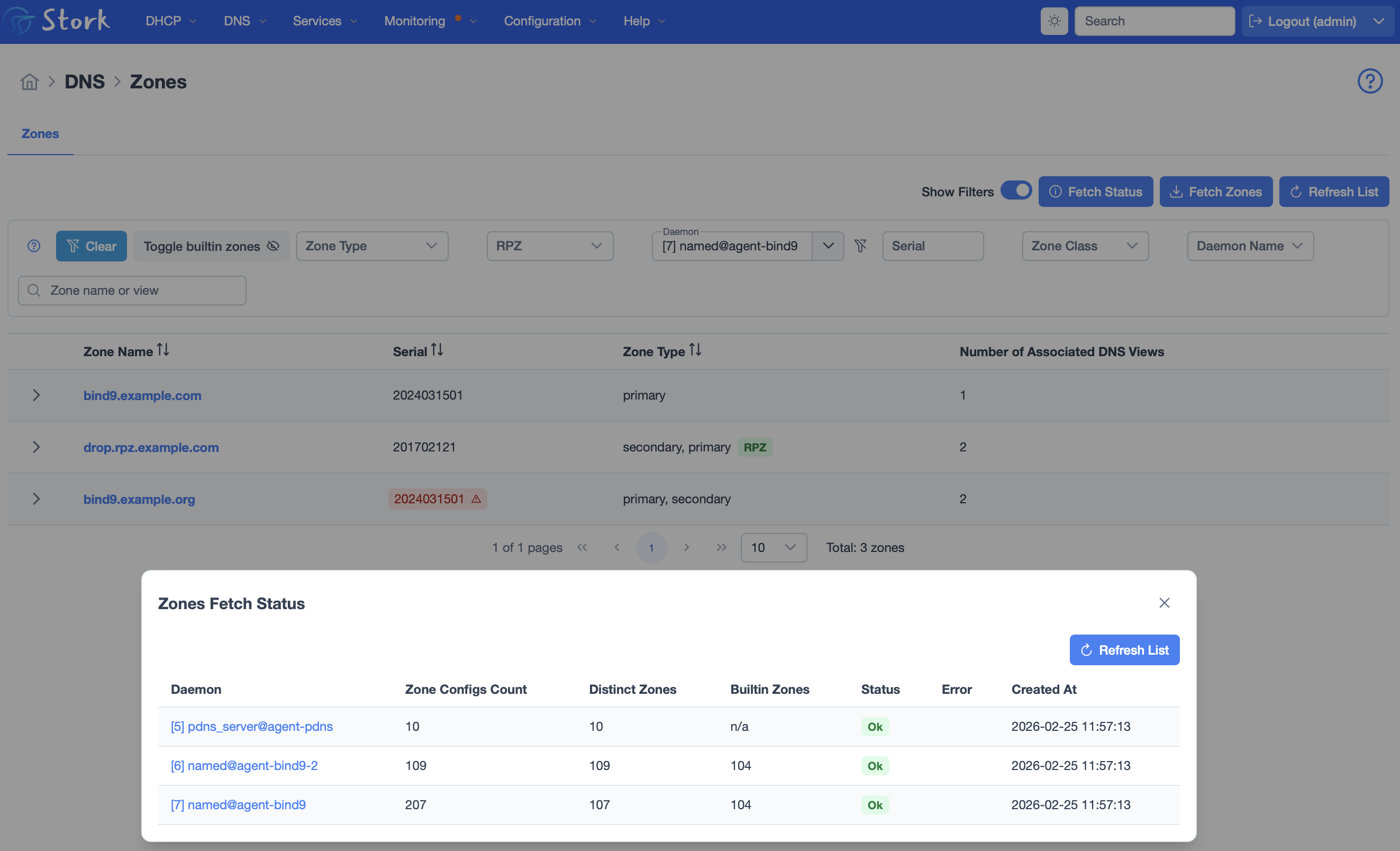
The screenshot below shows a view of the local zones on one BIND server, with a filter applied to hide the built-in zones. The zone type is displayed, including RPZ, and a zone that has a mis-matched serial number is highlighted. The overlay shows the zone refresh status of the three configured DNS servers, one of which is a PowerDNS server.
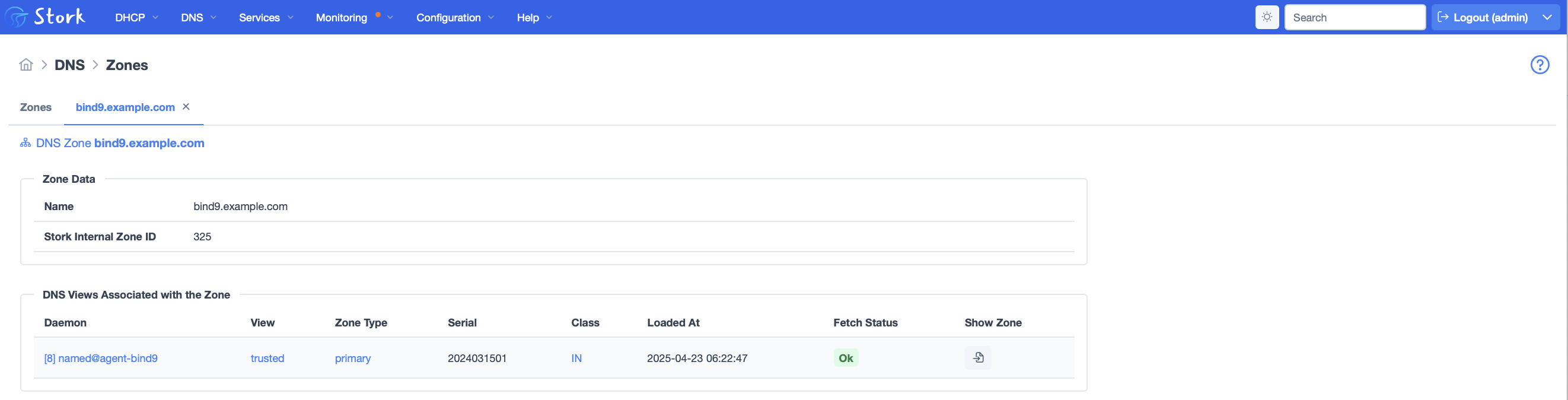
Clicking on a zone, such as the zone bind9.example.com in the screen above, displays a list of the daemons and views that zone is found in. Because Stork has a view into multiple BIND servers, this enables the administrator to easily see which servers are up to date, and which are not.
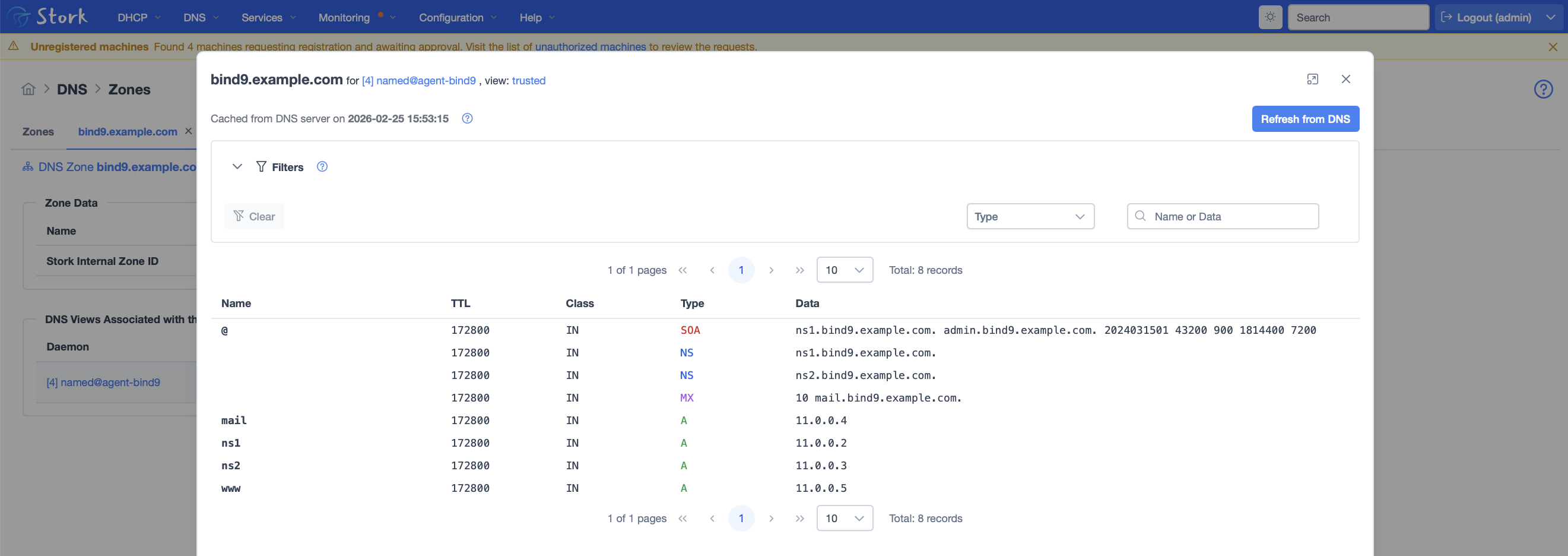
Clicking on the zone contents in the screen above, displays the zone contents, which in this case are minimal.
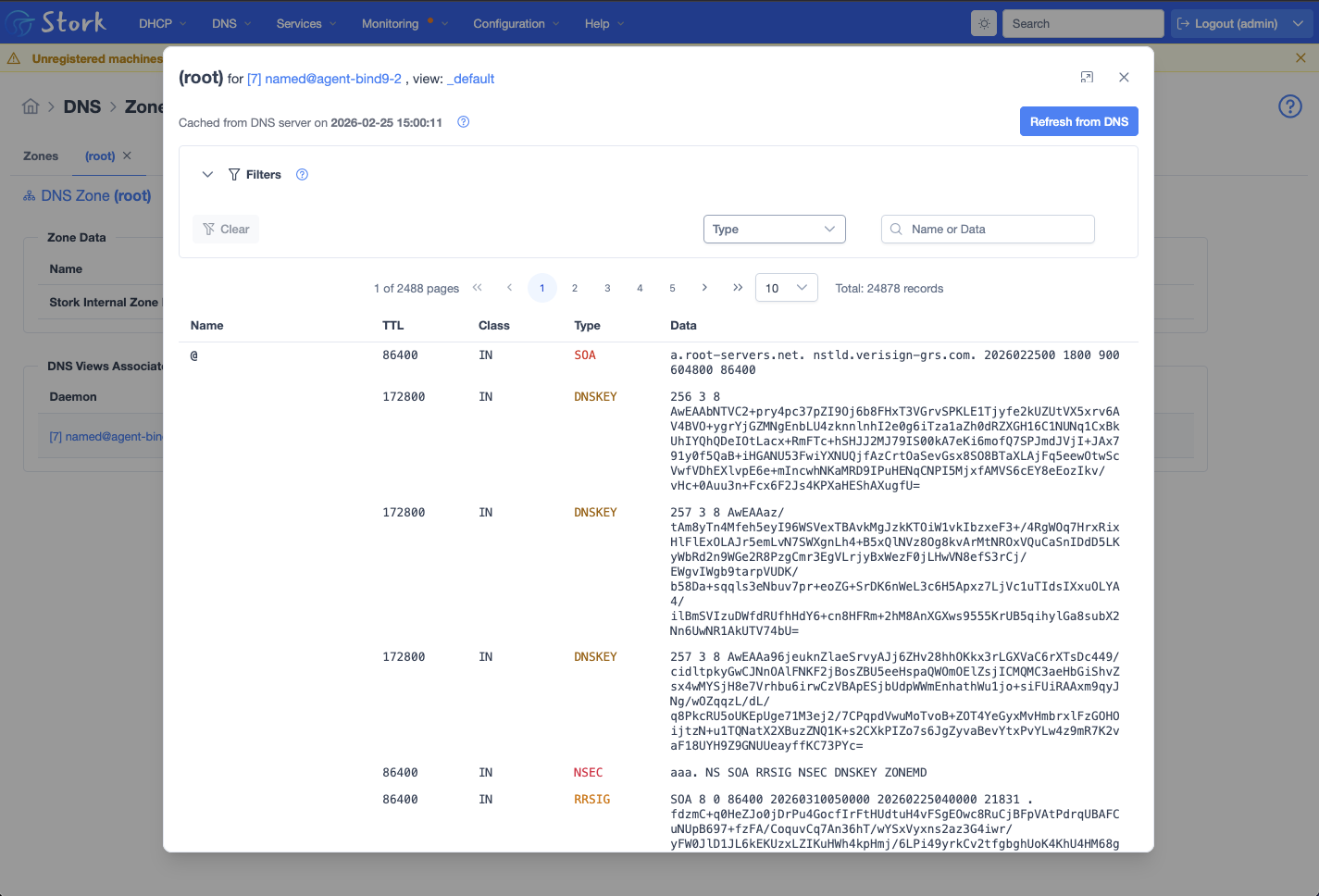
While the example above was a very small zone, there are many use cases where DNS zones have hundreds or thousands of records. We have worked hard to mitigate the obvious scalability challenges for collecting high volume data and displaying it in a graphical user interface. In the screenshot below, Stork has collected and is displaying a mirror root zone with over 24,000 records. We are caching the records locally in Stork, while providing a button to allow the administrator to manually refresh the data. (Pushing that button triggers an AXFR).
A major focus for this release is mostly invisible. We have updated our two major interface components, Angular and PrimeNG. These uplifts required quite a bit of refactoring to keep user interface features working.
The Stork UI presents a lot of information in the form of tables, and this release introduces the ability to sort those tables by clicking on a column header. We have added hide-able filter panels above our data tables to make the view more compact and useful.
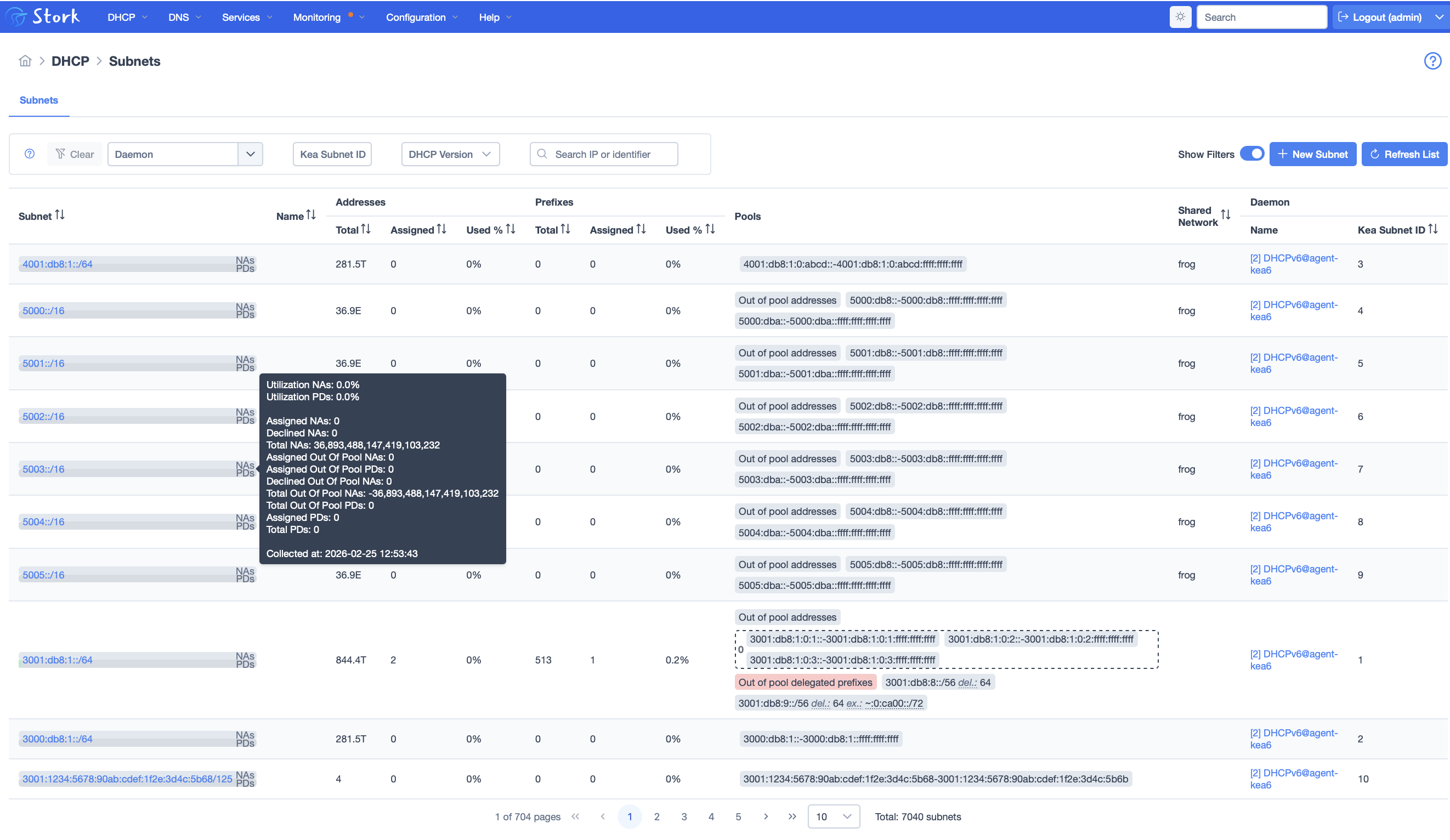
The subnets view has gotten more sophisticated, with warnings for out of pool addresses. The example below shows the popup with separate pool utilization statistics for prefix delegation. Here you can also see the up and down arrows in the column headers in the table, showing the new table sorting feature and the hideable filter panel.
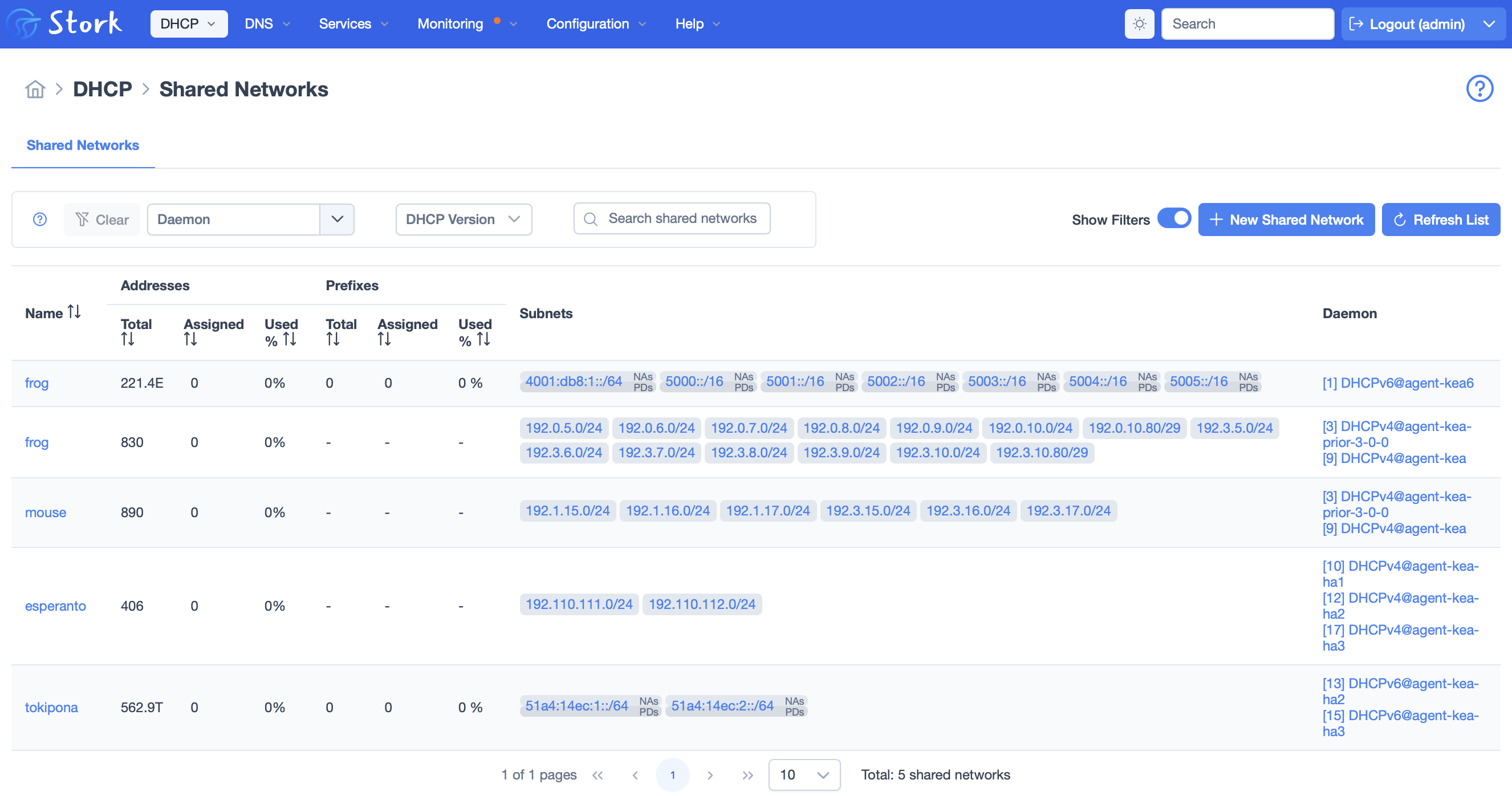
Prefix delegations are displayed in the shared networks view as well, which also offers the filter panel and column sorting.
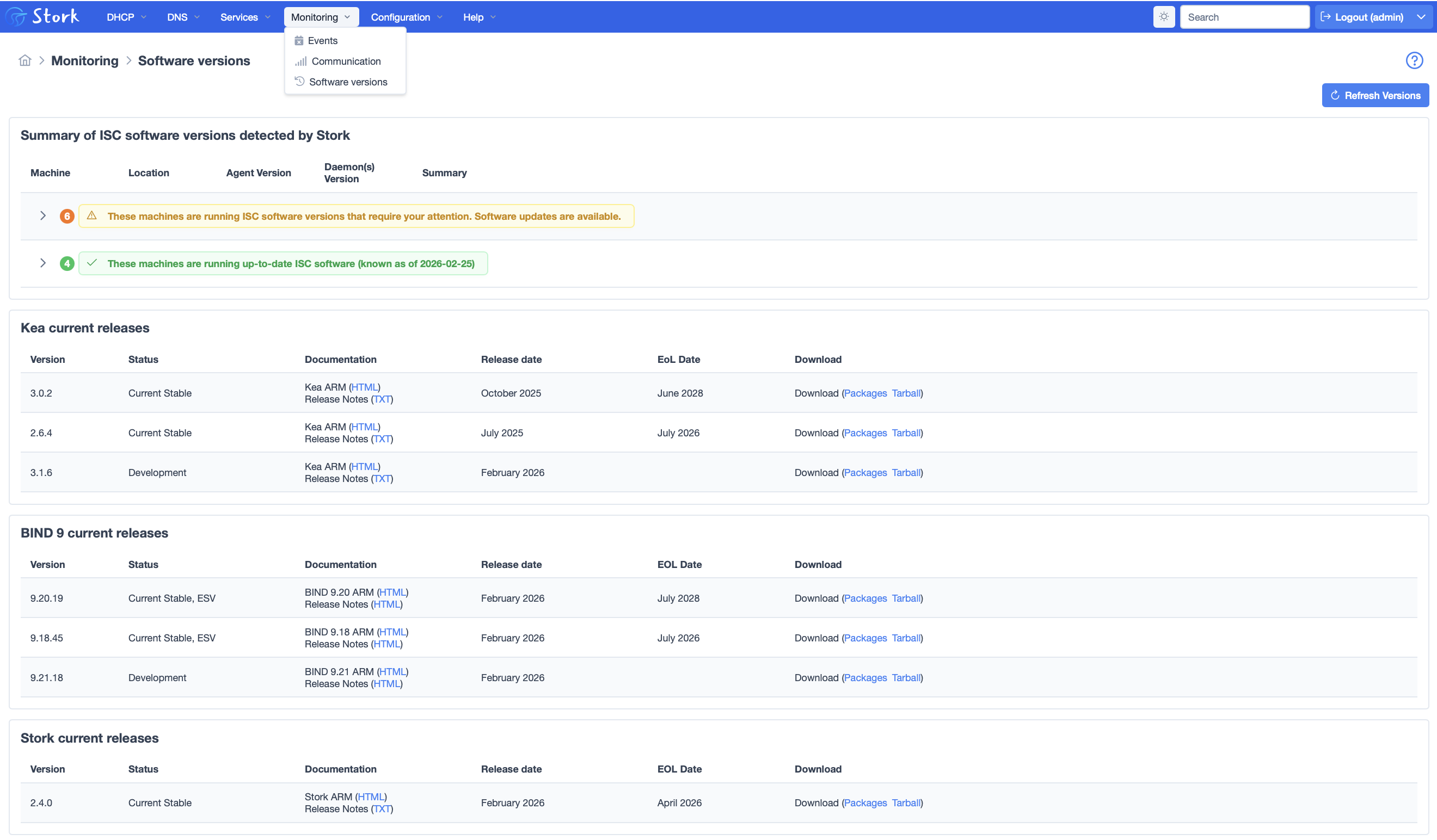
If you haven’t seen it, you might check out the software versions tracking in Stork. Stork maintains information about current versions of BIND and Kea, and will identify older versions throughout the interface. If there is a more recent version that fixes a CVE, that is is highlighted with a higher severity. In addition, there is a page under the monitoring menu that shows all the current software versions.
We invite you to try out our on-line Stork demo at: https://demo.stork.isc.org/login. This demo version was updated with Stork 2.4.0. Note that the configuration resets frequently to wipe out changes made by prior demo users. If you would prefer a more extended trial, you can install our packaged demo version, which includes a DHCP traffic generator, a handful of virtual Kea servers, and of course the Stork agents and server. One of our QA engineers has recorded a short video that walks you through the entire installation process for the demo.
To download Stork sources, go to ISC’s Downloads page. Release notes are posted beside the tarball download link. Most users prefer to install our packages for Debian, Alpine, or RPM-based systems from ISC’s Cloudsmith repo.
The Stork Quickstart Guide will get you up and running quickly. The Stork Administrator Reference Manual (ARM) may also be helpful.
With this release, ISC is now offering professional technical support for Stork. This will be offered as a line-item on a Kea DHCP support contract. Support for Kea is available as an annual subscription, with several levels:
The annual cost of our Kea support subscriptions is based on deployment size, as measured by the number of simultaneous leases provided. For more information on the support options, please see our Support page and our Kea Support Subscription datasheet. Please feel free to contact us for more information.
What's New from ISC

In the past, we’ve profiled some of ISC’s software and support engineers, and even our product manager.
Read post
A new configuration option, notify-cfg CDS, was added to BIND 9 in version 9.
Read post